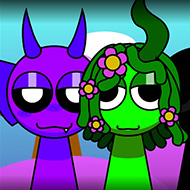
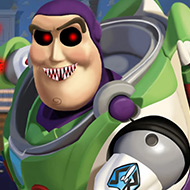
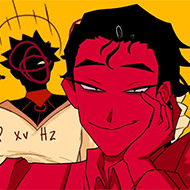
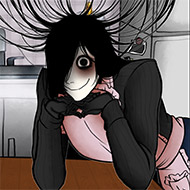
Press the green flag, put on headphones like the instructions actually tell you to, and Incredibox Scratch drops you into a stage full of character icons waiting to be dragged into place. It’s a fan-built recreation of the drag-and-drop beat-layering formula the original Incredibox is known for — pull a character onto the stage, it adds its sound to the loop, and the track you’re building grows one voice at a time until you’ve got a full arrangement running from parts that didn’t exist a few seconds earlier.
How the Beat-Building Loop Works in Incredibox Scratch
The core mechanic doesn’t need much explaining once you see it: each character represents a sound — a beat, a bassline, a melody, an effect — and dragging one onto the stage layers it into whatever’s already playing. There’s no scoring, no failure state, just an open canvas where the only real feedback is whether the combination you’ve built actually sounds good together. That openness is the entire appeal of the format, and this Scratch build reproduces it faithfully rather than reinventing it.
What makes this specific project stand out is that it’s explicitly built and labeled as a template — a base meant for other creators to take apart and remix into their own versions, rather than a single finished experience meant to be played once and left alone. The remix count backs that up directly: with over five hundred remixes logged against under forty thousand total views, this is a project that’s been used far more as raw material for other people’s builds than as a standalone destination in its own right.
Bonus Combinations and the Loop Counter
Like the format it’s recreating, Incredibox Scratch rewards finding specific combinations of characters that trigger a bonus animation or sound sequence — the game’s own instructions specifically flag that if the bonus buttons or loop counter don’t display correctly, restarting with the green flag usually fixes it, which is a common quirk in Scratch projects handling multiple simultaneous audio loops. That troubleshooting note is worth knowing before you start, since it means a visual glitch on load isn’t a sign the project is broken, just a sign it needs a clean restart.
The loop counter itself exists to track how long your current arrangement has been running, giving you a small sense of progression even though there’s no win condition attached to it. It’s a subtle addition, but it’s the kind of detail that separates a project built with real care for the format from a rougher copy that only replicates the drag-and-drop surface without the smaller mechanics underneath.
Why Headphones Actually Matter Here
The project’s own instructions call out headphone use specifically, and that’s not a throwaway suggestion — a layered beat built from several simultaneous character loops is much easier to actually parse through headphones than through speakers, where separation between the bass, percussion, and melody layers tends to blur together. If a combination sounds muddy on speakers, headphones are the first thing worth trying before assuming the arrangement itself doesn’t work.
What Makes This Version of Incredibox Scratch Worth Remixing
The high remix-to-view ratio isn’t an accident — a template built cleanly enough that other Scratch creators want to build their own versions on top of it says more about the quality of the underlying mechanic than a raw view count ever could. For anyone specifically interested in how the Incredibox format works under the hood rather than just playing a finished version of it, this project doubles as a usable starting point rather than just a one-off tribute.
Whether you come to Incredibox Scratch to build one satisfying loop and move on, or to pick the project apart and remix it into something of your own, the same basic joy holds up either way — dragging one more character onto an already-running track and hearing the whole thing click into a fuller sound than it had a second before.